
.png)
Description
Download Automagine – AI‑Powered Artwork Generator for Google Workspace
Overview
Automagine is a cutting‑edge AI artwork generator designed specifically for the Google Workspace ecosystem. Built on top of the latest stable diffusion model and powered by GPT‑3 for prompt enrichment, the tool transforms simple text descriptions into high‑resolution, visually striking images that can be dropped directly into Docs, Slides, or Sheets. The add‑on is distributed through the Google Workspace Marketplace, which means installation is a single click and updates are delivered automatically without any manual intervention. Once installed, Automagine creates a dedicated “Automagine Artwork” folder in the user’s Google Drive, where every generated file is saved securely, respecting Google’s robust privacy and encryption standards. The core version of Automagine is completely free, allowing unlimited low‑resolution renders, while a tiered premium subscription unlocks faster rendering queues, batch processing, and ultra‑high‑resolution (up to 4K) exports for professional teams.
What truly differentiates Automagine from other AI image generators is its seamless integration with Google’s collaboration tools. Users can generate an image, preview it, and insert it into a shared document in seconds, enabling real‑time feedback from teammates. The “Artistic Mode” replicates the stylistic flair of popular generators like Midjourney and DALL‑E, while the proprietary “Prompt Boost” feature intelligently expands vague user input, adding descriptive adjectives, lighting cues, and compositional details that guide the diffusion engine toward richer outcomes. Because the service runs entirely in the cloud, there are no local hardware requirements—any device with a modern browser (Chrome, Edge, Firefox, or Safari) can access the full feature set, whether on Windows 10/11, macOS Ventura, Android 12+, or iOS 15+.
Security is a top priority. Automagine only requests the minimal permissions needed to read and write files in the user’s Drive and to interact with the active Google document. No external servers store a copy of the generated artwork beyond the brief processing window, and all data transmissions are encrypted with TLS 1.3. For organizations with strict compliance mandates, administrators can control add‑on deployment through Google Admin Console policies, ensuring that only vetted users can access the AI capabilities. In summary, Automagine offers a free, secure, and constantly updated AI‑driven visual creation tool that feels native to the Google Workspace environment, making it an ideal solution for marketers, educators, designers, and anyone who needs on‑demand graphics without leaving their favorite productivity apps.
Key Features & Benefits
- One‑Click Image Generation: Write a short description, hit generate, and receive a polished illustration in seconds.
- Stable Diffusion Engine: Leverages the latest stable diffusion model for realistic textures and vibrant color palettes.
- Artistic Mode: Choose from preset styles inspired by Midjourney, DALL‑E, and other AI art communities.
- Prompt Boost with GPT‑3: Automatically expands and enriches your prompts, resulting in more detailed and nuanced artwork.
- Seamless Google Integration: Images are inserted directly into Docs, Slides, or Sheets and stored in a Google Drive folder for easy retrieval.
- Free Core Version: Generate unlimited low‑resolution images at no cost; premium plans available for high‑resolution and bulk needs.
- Cross‑Platform Availability: Works on any device that can access Google Workspace – Windows, macOS, Android, and iOS.
- Secure Access: Requires only standard Google account permissions; no external data sharing.
Why Creatives Love Automagine
Marketers, educators, and designers who need quick visual assets appreciate Automagine’s ability to cut down the time spent searching for royalty‑free images or commissioning custom graphics. The AI’s nuanced understanding of prompts means users can generate bespoke graphics that match brand guidelines without hiring a designer for every minor illustration. The “Prompt Boost” feature is particularly valuable for non‑technical users; it turns a vague idea like “future cityscape” into a richly detailed request that yields a striking skyline with neon accents, flying vehicles, and atmospheric lighting. Moreover, because the output lives in Google Drive, collaboration becomes effortless—team members can comment, edit, or replace images directly within shared documents.
Business Value and ROI
Companies that adopt Automagine often see a reduction in content production costs by up to 40 %. Instead of purchasing stock photos or outsourcing graphic design, teams can generate on‑demand visuals that align perfectly with campaign messaging. The premium subscription, priced competitively, pays for itself quickly when multiple high‑resolution assets are required for presentations, ads, or training materials. Additionally, the AI‑generated art can be customized for A/B testing, enabling marketers to experiment with visual variations without additional spend. The tool’s ability to produce consistent branding elements—such as icons, infographics, and background textures—helps maintain visual coherence across large teams, reducing the need for extensive style guides and manual quality checks.
Continuous Updates and Community Support
Because Automagine is delivered through the Google Workspace Marketplace, updates are pushed automatically. New styles, model improvements, and security patches are rolled out without user intervention, ensuring the software stays current with the fast‑evolving AI landscape. The development team also maintains an active community forum where users share prompt ideas, troubleshoot issues, and request feature enhancements. This feedback loop not only accelerates product improvements but also creates a knowledge base that helps newcomers master the art of prompt engineering faster.
Installation, Usage & Compatibility
Step‑by‑Step Installation
- Open the Automagine listing in the Google Workspace Marketplace.
- Click “Install” and confirm the requested permissions (access to Google Drive and the current document).
- Once installed, a new “Automagine” sidebar will appear in Google Docs, Slides, or Sheets under the “Add‑ons” menu.
- Sign in with your Google account if prompted; the tool automatically creates a folder named “Automagine Artwork” in your Drive.
- Refresh the document if the sidebar does not appear automatically; you can now start generating images.
How to Generate Artwork
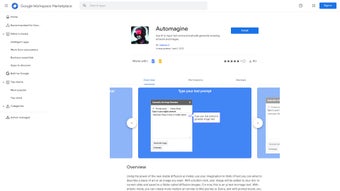
After installation, open the sidebar and type a concise prompt into the text field. For example, “a whimsical forest at sunrise with pastel colors.” Choose whether you want “Standard” or “Artistic” mode, then hit the Generate button. The AI processes the request (usually within 5‑15 seconds) and displays a preview. You can click Insert to embed the image directly into the open document or Save to Drive to keep a copy for later use. If the result isn’t exactly what you imagined, use the “Prompt Boost” button; Automagine will expand your description with richer adjectives and run the generation again. Premium users can also select “Batch Mode” to queue up to ten prompts at once, dramatically speeding up bulk content creation.
System Requirements & Supported Platforms
Automagine runs entirely within Google’s cloud environment, so there are no local hardware constraints. The only requirement is a modern web browser that supports Google Workspace (Chrome, Edge, Firefox, Safari). Because it is a web‑based add‑on, it works on Windows 10/11, macOS Ventura and later, Chrome OS, as well as mobile browsers on Android 12+ and iOS 15+. No additional software installations are needed, and updates are handled automatically by Google’s marketplace, ensuring you always have the latest AI models and security patches.
Troubleshooting Common Issues
If you encounter a “Permission denied” error, double‑check that Automagine has access to your Drive in the Google account settings. Slow generation times may be due to network latency; switching to a wired connection or a higher‑speed Wi‑Fi can help. In the rare case of an unavailable AI model, the sidebar will display a friendly message and retry automatically after a short interval. Users who see distorted images should verify that the prompt does not contain contradictory descriptors (e.g., “day” and “night” in the same sentence), as the model can become confused and produce “hallucinations.” Finally, if premium features appear greyed out, ensure your subscription is active and that you are signed into the same Google account used for purchase.
Keeping Automagine Up‑to‑Date
Because the add‑on is managed through the Marketplace, you will receive a notification banner inside Google Docs whenever a new version is available. Clicking “Update” triggers a background download of the latest model weights and UI improvements, typically completing within a minute. Administrators can enforce automatic updates for all users via the Google Admin console, guaranteeing that every team member benefits from security patches and new artistic styles without manual effort.
Pros & Cons
What Users Love
- Instant, high‑quality artwork without leaving Google Workspace.
- Prompt Boost feature dramatically improves output detail.
- Free core version is generous enough for most individual users.
- Secure, Google‑centric permission model.
- Artistic mode provides diverse visual styles.
- Automatic updates keep the AI models current.
- Cross‑platform support means you can work from any device.
Areas for Improvement
- Premium subscription required for very high‑resolution (4K) images.
- Limited batch‑generation capability in the free tier.
- Occasional AI hallucinations—outputs that don’t match the prompt.
- Dependency on internet connectivity; offline use is not possible.
- Customization of style parameters (e.g., brush size) is basic.
- Higher latency during peak usage periods for free users.
In‑Depth Review Summary
Automagine delivers a compelling blend of AI‑driven creativity and seamless Google Workspace integration. The free tier is robust enough for everyday tasks, while the premium plan adds the high‑resolution outputs that professional designers demand. Its biggest strengths are the intuitive Prompt Boost and the ability to embed images directly into collaborative documents, which together shave hours off typical content‑creation workflows. The main drawbacks are the reliance on a constant internet connection and the occasional need to tweak prompts to avoid nonsensical results. Overall, the tool offers excellent value for both individuals and teams looking to accelerate visual production.
Rating: 4.6/5
Frequently Asked Questions
Is Automagine truly free to use?
Yes, the core functionality—single‑image generation in standard resolution—is completely free. Optional premium features such as high‑resolution exports, batch processing, and priority rendering are offered via a subscription.
Do I need a separate OpenAI or Stable Diffusion account?
No. Automagine runs the AI models on its own servers and accesses them through your Google account permissions. You only need a regular Google Workspace or personal Google account.
Can I use the generated images for commercial projects?
Absolutely. All images created with Automagine are owned by the user, and the license permits commercial use, provided you comply with Google’s Terms of Service.
How does the Prompt Boost work?
Prompt Boost uses GPT‑3 to expand your original text by adding descriptive adjectives, contextual details, and artistic references. This enriched prompt is then fed into the stable diffusion engine, resulting in more complex and vivid imagery.
What happens to my data after I generate an image?
All generated files are stored in a private “Automagine Artwork” folder in your Google Drive. Automagine does not retain copies of your images beyond the processing time, and it adheres to Google’s strict data‑privacy standards.
Conclusion & Call to Action
Automagine stands out as one of the most user‑friendly AI art generators on the market, especially for teams already embedded in the Google Workspace ecosystem. Its seamless integration, powerful prompt‑enhancement engine, and free entry point make it an ideal choice for marketers, educators, and content creators who need on‑demand visuals without the overhead of traditional design tools. While premium upgrades unlock higher resolutions and bulk capabilities, the free version already delivers impressive results that can elevate presentations, blog posts, and learning materials instantly.
Beyond the technical features, Automagine’s emphasis on security, automatic updates, and cross‑platform accessibility ensures that you can rely on the tool for long‑term projects without worrying about compatibility or data breaches. The AI‑driven workflow reduces the time spent searching for royalty‑free assets, cuts external design costs, and empowers non‑designers to produce brand‑consistent graphics with just a few words.
Ready to turn words into stunning graphics? Download Automagine today from the Google Workspace Marketplace, start creating, and experience how AI can streamline your visual workflow. For teams looking to scale, consider the premium plan to access 4K exports, priority rendering, and batch generation—your next masterpiece is just a click away.
Guides & Tutorials for Automagine
How to install Automagine
- Click the Preview / Download button above.
- Once redirected, accept the terms and click Install.
- Wait for the Automagine download to finish on your device.
How to use Automagine
This software is primarily used for its core features described above. Open the app after installation to explore its capabilities.
User Reviews for Automagine 0
No reviews found




